 Membership Manager
Every member. Every dues payment. In one place.
Membership Manager keeps your member records, dues accounts and payments organized, so your board sees who is current and who is behind in seconds.
One-time paymentFree updatesNo monthly feesWindows 10 & 11
Made for any organization with members
However your members pay, it's tracked.
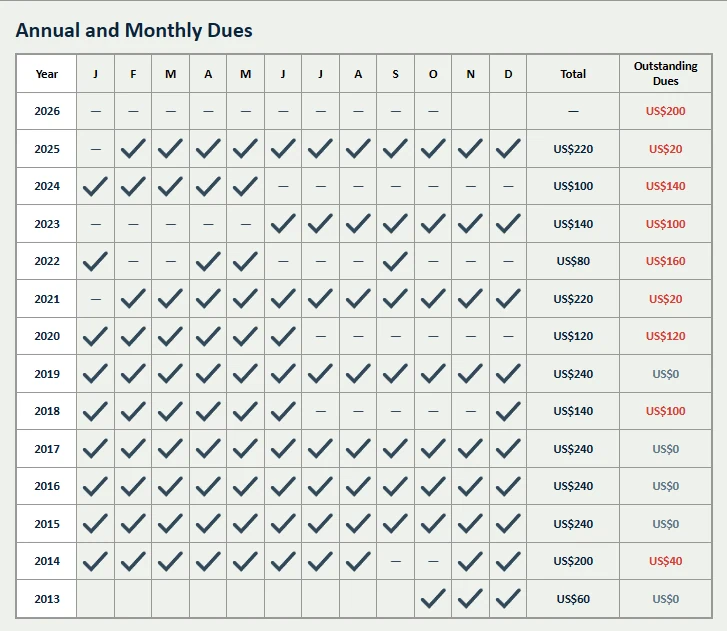
Each member or family account gets a payment method and a monthly amount. Membership Manager works out who is paid up, who is behind and how much you should collect next month.
Cash
Record receipts by number, with overdue alerts.
PAD
Pre-authorized debit, monthly or lump sum.
Bank
Bank transfers imported from your statement.
Cheque
Log cheques as they come in.
E-Transfer
Interac e-Transfers, matched to the sender.
Credit Card
Card payments from your terminal report.
Exempt
Members who don't pay dues, kept separate.
The work your treasurer does every month, done faster.
Import a bank file. Payments land on the right member.
Drop in your bank, PAD or card export as Excel, CSV or PDF. Each row is matched by name or phone number. When two members share a name, it asks you instead of guessing.
- Works with PAD, Bank, Cheque, E-Transfer and Credit Card files
- Preview every match before anything is saved
- Paid-through dates update automatically
| Name | Matched by | Status | Amount |
|---|---|---|---|
| Lisa Warren | Name | Matched | $20.00 |
| Rojin Demir | Phone | Matched | $30.00 |
| Marco Ricci | Name | Matched | $50.00 |
| Daniel Carter | 2 members | Review | $50.00 |
One dues account for the whole family.
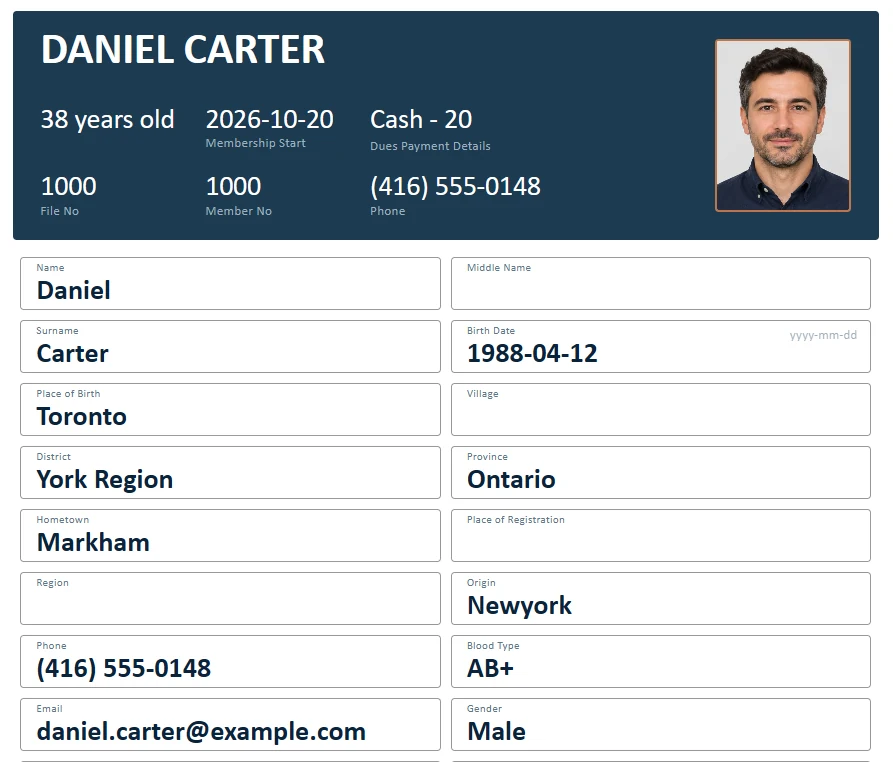
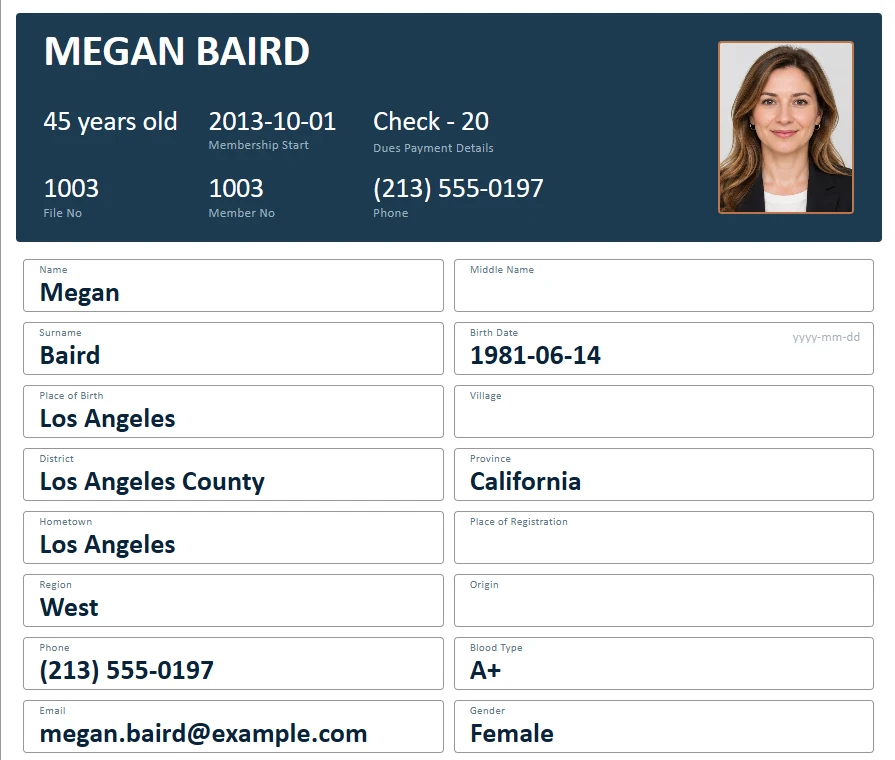
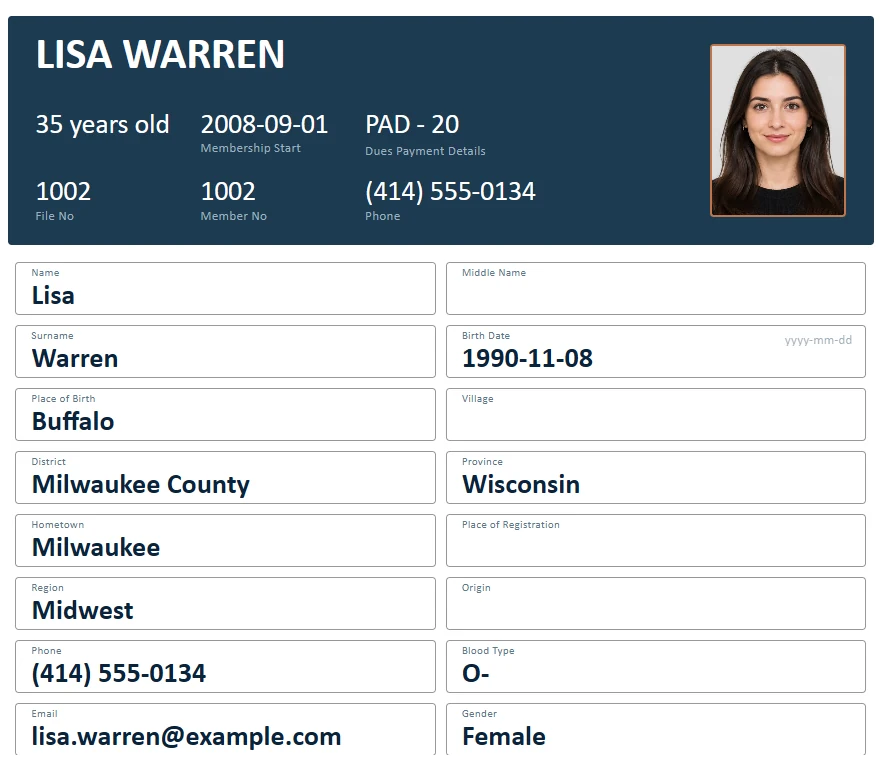
A parent can pay for a spouse and children on one account. Every person keeps their own member card, and every card shows the account's status.
- Family or individual accounts
- Suspend or close an account in one step
- Home screen counts people and money separately
Reports your board can read at the meeting.
The Cash Report shows money in by month and by payment method. Statistics break down your membership by age, gender, dues type and more. Every page prints to a clean PDF.
- Last 12 months at a glance, or any date range
- Member lists, member cards and dues tables as PDF
- Back up to Excel or import an existing Excel list
Six languages, switchable any time.
Your volunteers don't all speak the same language. Each person can work in the language they're comfortable with, on the same data.
Large organizations stay fast, even with 20,000 member records.
Member data stays with you, not in someone else's cloud.
Names, addresses, phone numbers and payment history are stored in a database on your own computer. There is no online member database for attackers to break into. You make backups whenever you like.
Pay once. Use it for as long as you like.
No per-member fees, no yearly renewals and free updates for life. Prices in Canadian dollars.
Full license
Offer ends December 31, 2026
- Unlimited members
- Activation on 1 computer
- All future updates free
Free trial
Every feature, no time limit. Add up to 10 members and see how it fits your organization. Enter a license key later and keep everything you entered.
Download free trialYou won't be on your own.
2 hours of setup and training included with your license, in person or online as needed, then help at an hourly rate.
Online training and support. Free updates for everyone.
Before you download
What does it run on?
Windows 10 and Windows 11. A Mac version is not available yet.
Do I need to pay every year?
No. The license is a one-time payment, and every future update is free.
What happens to my trial records?
They stay. Enter your license key and the 10-member limit is removed instantly. Everything you entered during the trial is kept.
Can I import my existing member list?
Yes. Import your list from Excel, then add dues accounts and payments in the program. Ontario customers also get two hours of setup and training with their license.
Is it only for associations with dues?
No. You can track members with or without dues, so it also works for clubs, gyms and groups that only need a member registry.
Where are my records stored?
In a modern built-in database on your own computer. Nothing is uploaded to a cloud server, and there is no database software to install.
How do backups work?
Create a backup with one click and restore it whenever you need to. The program can also back up automatically every day, week, month or three months. You can export your members to Excel at any time, too.
Can I move the program to a new computer?
Yes. Use "Remove license from this computer" in Settings, then activate the same key on the new computer.
Which member details can I keep?
More than 40 fields, such as first and last name, occupation, date and place of birth, phone, address and past roles. You choose which fields are shown, put them in the order you like and hide the ones you don't need.
Who makes Membership Manager?
Azad Media, a small software studio in Toronto. Membership Manager is developed by Kemal Alkas, who also answers your questions and provides setup and training.
How do I get help or report a problem?
Write to info@membershipmanager.ca. Updates with fixes and new features are free for every license holder, and the program tells you when a new version is available.
Can I set the program up for my organization?
Yes. In Organization settings you enter your name, logo, address, phone and email. They appear in the program and on every printout, and Color settings let you choose the program's colours.